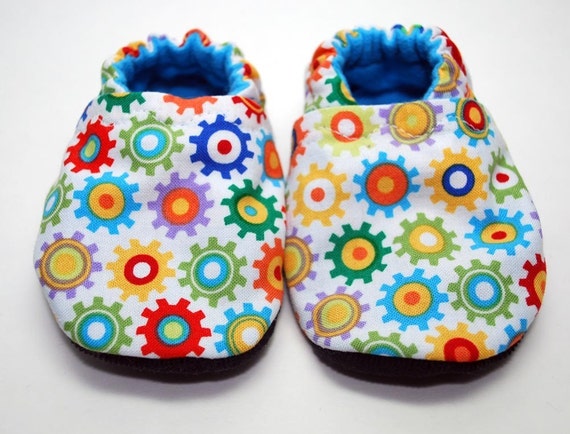
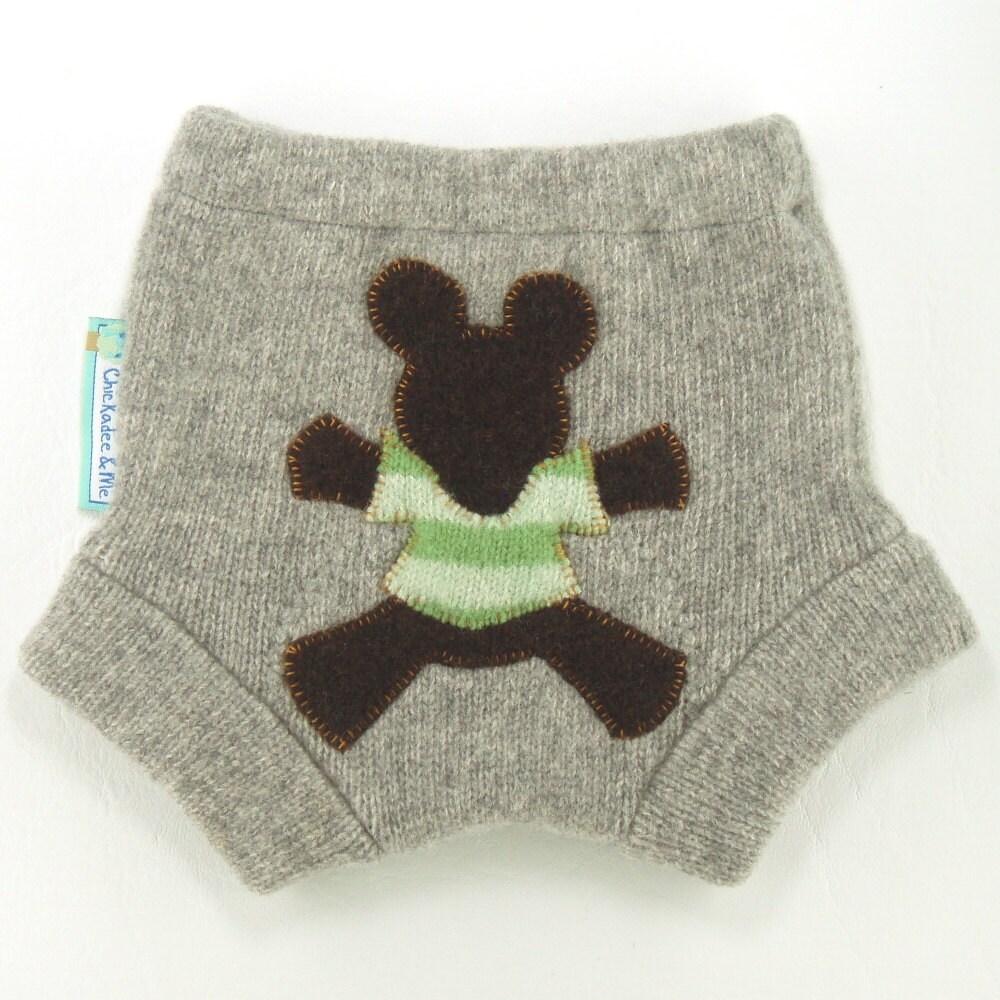
I'm a washable nappy fan and Little Bear has his bum firmly wrapped in super soft and snuggly terry towelling, so these soakers would look so cute to cover them!
Get them here
Showing posts with label etsy. Show all posts
Thursday, 12 May 2011
Thursday, 31 March 2011
Team Thursday - Etsy Kids Favourites
Not a lot of people know, but I am a member of the Etsy Kids team. So here's something straight from my favourites. I really want to get these for Little Bear!
You can find them here!
Thursday, 11 November 2010
42 of 52 - Christmas Shipping Reminder
At the moment, all of my stores are still open for business and shipping is continuing within 24 hours of purchase (except on a weekend, items are posted on a Monday).
My stores are on Etsy (dollars), Folksy (pounds), Gift Wrapped and Gorgeous (pounds) and Dawanda (euros).
If you don't already know, we're expecting our very own Baby Bear at the end of November. Right in the middle of prime Christmas shopping time for all my lovely customers.
This means that my postage schedule will not be it's normal turn around. I also plan to close the shops for two weeks when the baby does arrive. I think I'll have my hands full enough! So, you need to get your orders in early. I will advise on when your bear is on it's way on an order by order basis.
If you're purchasing in the UK, the last postage date is Tuesday 21st December but don't leave it that date as your bear may have already gone to a good home and I don't know how well I'll be able to keep up with any that I have to make to order.
If you're purchasing in the US or other worldwide destination, you need to order by Monday 6th December. Now this is where the dates prove tricky. If Baby turns up on time (like that's ever going to happen) I'll be closed on this date. So, if you're not in the UK, please order by Mid November. If you miss these dates, please do drop me a convo or message via Etsy or Folksy and I will do my best to arrange something. But I really don't want to let anyone down so order early is my advice to you.
I will also not be taking any more custom orders until January 2011.
I'm looking forward to hearing from you during the festive period! Have a good one everyone!
Tuesday, 5 October 2010
33 of 52 - Automatically tweeting shop listings and blog posts
Now this is one of the best tools I found for making twitter (and Facebook) nice and bearable. We all want to use these gadgets for making our lives easier, but what is the best system to use.
I know of two systems that take your RSS feed in your shop and then feed it into Twitter or Facebook.
There is TwitterFeed and Dlvr.it. I have used both and I prefer Dlvr.it. It has been more reliable but both work in very similar ways.
In order for both to work you need to sign up to an account with them. I'm going to show you how to setup dlvr.it but Twitterfeed is similar and you should be able to set that one up in a similar way.
First you need to locate your shop RSS feeds.
On Etsy, it's here
To edit a Source or Destination, click on the pencil icon next to each item. As you can see from the above image, I send my shop feed to Facebook and Twitter. I also have specified that I want it to go to my Facebook fan page rather than my personal page.
So, when you list or relist on Etsy or Folksy, it will automatically tweet your listing. You need to set up a route for each shop and I have even got it set up for my blog. So when this publishes, you may just have read it, because of this tool.
Thanks for reading and if you have some questions about Dlvr.it, ask me in the comments!
I know of two systems that take your RSS feed in your shop and then feed it into Twitter or Facebook.
There is TwitterFeed and Dlvr.it. I have used both and I prefer Dlvr.it. It has been more reliable but both work in very similar ways.
In order for both to work you need to sign up to an account with them. I'm going to show you how to setup dlvr.it but Twitterfeed is similar and you should be able to set that one up in a similar way.
First you need to locate your shop RSS feeds.
On Etsy, it's here
and on Folksy it's here
This will give you a webpage covered in text and numbers that apparently makes no sense. The important part you need is the URL or web address at the top of the screen. Once you have that, you can add the feed to dlvr.it.
Click 'add route'and it will be added to the main screen.
You have two things to do next, set up the source (so where your feed is coming from) and set up the destination (where the information is going to). Click the add button next to 'Sources' and select 'New' for the feed. Paste your feed into the Feed URL box. Then click 'save source'.
To add a destination, click the add button next to 'Destinations' and you can select the various accounts you want to feed into. To set up Twitter, select 'new' next to the twitter icon. This will then prompt you to log in and authorise your twitter account. Then click 'Save'. This will do the basics of sending your URL and title to Twitter. To add your Facebook (or other accounts) click 'Add' next to 'Destinations' again and add the next account. You can add to Tumblr or multiple twitter accounts or any number of social networking sites.
There are some options that you can do to add text to each tweet but the amount you can add is limited.
So, when you list or relist on Etsy or Folksy, it will automatically tweet your listing. You need to set up a route for each shop and I have even got it set up for my blog. So when this publishes, you may just have read it, because of this tool.
Thanks for reading and if you have some questions about Dlvr.it, ask me in the comments!
Labels:
auto tweeting,
dlvr.it,
etsy,
facebook,
folksy,
selling tools,
twitter
Friday, 1 October 2010
32 of 52 - Christmas Orders for ClareBears
Yes, yes, yes, it's only just turned October but in the world of retail that firmly makes it Christmas.
So I need to make you all aware of my Christmas schedule. If you don't already know, we're expecting our very own Baby Bear at the end of November. Right in the middle of prime Christmas shopping time for all my lovely customers.
This means that my postage schedule will not be it's normal turn around. I also plan to close the shops for two weeks when the baby does arrive. I think I'll have my hands full enough! So, you need to get your orders in early. I will advise on when your bear is on it's way on an order by order basis.
If you're purchasing in the UK, the last postage date is Tuesday 21st December but don't leave it that date as your bear may have already gone to a good home and I don't know how well I'll be able to keep up with any that I have to make to order.
If you're purchasing in the US or other worldwide destination, you need to order by Monday 6th December. Now this is where the dates prove tricky. If Baby turns up on time (like that's ever going to happen) I'll be closed on this date. So, if you're not in the UK, please order by Mid November. If you miss these dates, please do drop me a convo or message via Etsy or Folksy and I will do my best to arrange something. But I really don't want to let anyone down so order early is my advice to you.
I will also not be taking any more custom orders until January 2011.
I'm looking forward to hearing from you during the festive period! Have a good one everyone!
Tuesday, 28 September 2010
31 of 52 - Using Tweetdeck
I've been using TweetDeck for a while now and find it does all the things I want it to do and a bit more. After doing a post last week on Google Analytics I was asked to do a little post about TweetDeck and the fancy stuff it does. So, here goes....
You can download TweetDeck from here. It's a quick and simple download and doesn't actually steal too much of your computers power while it's running either so it makes it good if you're on a lower spec machine like mine (I use a little netbook most of the time).
When you first run it you'll be asked to enter all of your twitter account details. So this is benefit number one, you can add more than one twitter account to it. As well as Facebook, MySpace, foursquare and LinkedIn accounts. And you can update all of those accounts from one tweet.
When you install it and set up your one twitter account then you can see all your friends, your mentions and your direct messages. I also have a 'New Followers' column so I can see straight away who is following me and when they start.
The bar along the top is where you tweet from and has some handy things on it.
(click on the image to see larger)
You can also shorten a tweet, translate a tweet and use recent hashtags from it.
Above the bar, there is a + symbol, use this to add a column. I tend to have a number of columns for different categories. I follow a lot of people and it's useful to categorise them (like twitter lists).
I think the best features are the scheduling feature (so you can schedule a product listing tweet for a time you won't be there), and the ability to add different columns and accounts.
This is just the beginnings of Tweetdeck and where to go to do different things. If you have any burning questions about how to do something, ask me in the comments!
Wednesday, 22 September 2010
30 of 52 - A diversion into Google Analytics
When I first joined Etsy i'd never heard about Google Analytics (GA) before and had no idea how it works. But, I have learned a little bit now and then just by clicking about so I thought i'd share some of the things i'd found.
The first thing i'm going to start with is something that was posted on a forum thread I was on recently. How do you find out where traffic to a specific page comes from?
So, you're checking you views and an item has shot up without any intervention from you. You've probably checked Craftopolis and Craftcult and they don't show you as being featured anywhere on Etsy*. Where do you look in GA to find out?
If you go to the dashboard for the site you're looking at (I'm assuming you know how to get to the first page here. You have, after all, managed to install the tracking code already so that's a start. Then look in the bottom right hand corner there is a box called 'Content Overview' (shown below).
If the item you want to see is in the top five most viewed pages, then select it (just click on the blue link) from the table you can see above. If you can't see it, click 'view full report' again and you should find the page you want on that list.
So I want to look at my second most viewed pages which is for my new Caramel Long Fur Bear and when I click on it, I see a page like this
*I use Etsy as an example here, the same applies to Folksy, your blog, or website. Anywhere you have Analytics tracking installed.
The first thing i'm going to start with is something that was posted on a forum thread I was on recently. How do you find out where traffic to a specific page comes from?
So, you're checking you views and an item has shot up without any intervention from you. You've probably checked Craftopolis and Craftcult and they don't show you as being featured anywhere on Etsy*. Where do you look in GA to find out?
If you go to the dashboard for the site you're looking at (I'm assuming you know how to get to the first page here. You have, after all, managed to install the tracking code already so that's a start. Then look in the bottom right hand corner there is a box called 'Content Overview' (shown below).
Click the 'view report' link at the bottom of that box.
This will show you the full content overview. In the bottom left hand corner of the new screen has a table of your 'Top Content' or the pages that are looked at the most.
If the item you want to see is in the top five most viewed pages, then select it (just click on the blue link) from the table you can see above. If you can't see it, click 'view full report' again and you should find the page you want on that list.
So I want to look at my second most viewed pages which is for my new Caramel Long Fur Bear and when I click on it, I see a page like this
I have marked the 'Entrance Sources' link as that's the bit you need to click next. This tells you exactly where all of the traffic comes from. You will now see a table breakdown of the top ten traffic sources for that specific page.
So for my item, most of my traffic is direct (which I expected for this item as it was recently on the Etsy Front Page) but I can see that I get traffic from Google, Bronto (the system that Etsy uses for it's emails), Facebook and an interesting site called Demonkidz.com (a site which freaks me out but they regularly link to their Etsy shop so I figure they're coming to me afterwards).
So, now you know! It's pretty straight forward but the links are a bit hidden.
If there's another thing you'd like to know about Google Analytics, let me know in the comments and i'll find out.
*I use Etsy as an example here, the same applies to Folksy, your blog, or website. Anywhere you have Analytics tracking installed.
Labels:
business supplies,
ClareBears,
crafts,
etsy,
Google Analytics,
seo
Friday, 13 August 2010
26 of 52 - The Gonk Tales
A few Gonks have ventured out into the big wide world. And a few of them are having adventures along the way!
The first one I heard back from was Diego, who went on a walking holiday up in Scotland!
(Click the image for a bigger version)
He got all spruced up for his date with a ClareBear! The ClareBear in the photos was made over 12 years ago for a special birthday present. Oh how they've change in all that time! You'll be glad to know that the Gonk and Bear are currently living happily together in Northumberland.
This blog post was brought to you with the help of the complete mentalists that are Malcolm Freemantle (My Father In Law) and Allen Hurst (My Dad). Thanks xx
The first one I heard back from was Diego, who went on a walking holiday up in Scotland!
And he sent us back this postcard from John O'Groats. I did hear that Diego tried to jump into the sea at John O'Groats but he was held back by his heroic owner. Diego lives in Newcastle with my Father in Law and is often off on camping trips now. Diego's adventures will continue :)
The next adventures is from the laydee's man of the gonk family! The aptly named 'Bonk' (don't ask!).
He got all spruced up for his date with a ClareBear! The ClareBear in the photos was made over 12 years ago for a special birthday present. Oh how they've change in all that time! You'll be glad to know that the Gonk and Bear are currently living happily together in Northumberland.
This blog post was brought to you with the help of the complete mentalists that are Malcolm Freemantle (My Father In Law) and Allen Hurst (My Dad). Thanks xx
Monday, 26 July 2010
24 of 52 - Bags of Bears!
And I don't just mean that I have bags of bears hanging around (though I do, it can get a bit scary round here sometimes). I mean that my bears now come with something comfy for them to travel in! And possibly live in, if you so choose.
Each of my bears will now come with it's very own printed (by me!) ClareBears drawstring gift bag.
And there will be a certificate of authenticity to confirm that your ClareBear is 100% original. Get you bears in bags from all of my stores!
Labels:
Bears,
ClareBears,
collectables,
crafts,
dawanda,
etsy,
folksy,
teddy
Thursday, 15 July 2010
22 of 52 - It's Christmas!!!!! (In July)
So this is a quiet time of year for retailers. There's nothing exciting happening, we're in a holiday lull and the schools are about to break up for six whole long weeks. So, in order to drag us all through the mid year slump (especially when it's raining cats and dogs like it is now!) Etsy sellers from all over the world have a Christmas In July sale. And well I decided to join in!
So, go to my shop and go and take 25% off everything there! That simple, i'll refund you via Paypal at the end (that's just cos I can't go through and edit all the prices, i'd go madder).

Head there right now and grab a bargain before anyone else does!
So, go to my shop and go and take 25% off everything there! That simple, i'll refund you via Paypal at the end (that's just cos I can't go through and edit all the prices, i'd go madder).

Head there right now and grab a bargain before anyone else does!
Wednesday, 9 June 2010
20 of 52 - It's not often I win something.....
but sometimes when I do the item is generally awesome and this one is no exception. A few weeks ago I entered a give away run by Claire of Payne Design on her blog.
And I won!! Yahoo! So my prize was this fabulous turtle brooch!
So if you like turtles too, head over to Claire's Etsy shop for more turtles and felty, geeky marvellousness.
And I won!! Yahoo! So my prize was this fabulous turtle brooch!
And everyone knows I love turtles. Just look at the photo my husband took of a turtle when we were diving on our honeymoon. It's one of my favourites ever.
So if you like turtles too, head over to Claire's Etsy shop for more turtles and felty, geeky marvellousness.
Labels:
Claire Payne,
competition,
crafts,
etsy,
felt,
shop,
shopping,
turtles,
win
Wednesday, 26 May 2010
18 of 52 - The pattern is ready to go!
My lovely pattern testers got back to me on Friday with their suggestions and I spent a little while updating the pattern. Now it's ready to go. So you can get my pattern over here in my Etsy store.
To celebrate my very first pattern you can win one of the cover girls (or boys - it's your choice)!
There are four ways to enter.
1. Tweet this message: I am entering @clarebears coverbear giveaway at http://claresbears.blogspot.com/
2. Comment on this post
3. Become a fan on Facebook here
4. Buy a copy of the pattern!
Any of these will get you an entry, do all four, you get four entries! There will be three winners chosen at random from all entrants and the prize will be drawn on Sunday 30th May at 7pm (UK time).
Good Luck!
Monday, 3 May 2010
15 of 52 - New Items for patterns are turning out nice
So last time I blogged I mentioned that a new pattern was coming. My first efforts at the items have turned out well (apart from one of them being a Koala and NOT a bear at all). There will be a bear version of this pattern but he is this afternoons mission after i've messed around on Dawanda a bit. And played Scrabble on Facebook. And procrastinated a little bit more......
So here are the first pictures of the toys!

More photos of these and the bear when I get to it can be found over at my Flickr photostream
Enjoy your Bank Holiday!
So here are the first pictures of the toys!

More photos of these and the bear when I get to it can be found over at my Flickr photostream
Enjoy your Bank Holiday!
Monday, 5 April 2010
13 of 52 - New places to find me!
It has been a good week again around this bears' house! The to do list has been massive but i'm slowly working through it.
I have a whole bunch of new bears coming soon

I have also started to appear in some new place. If you want to by in pounds then you can find me on WowThankYou! And if you want to buy in Euros, I can be found on DaWanda!
Items are added to both of these stores on a regular basis so keep checking back.
I have a whole bunch of new bears coming soon

I have also started to appear in some new place. If you want to by in pounds then you can find me on WowThankYou! And if you want to buy in Euros, I can be found on DaWanda!
Items are added to both of these stores on a regular basis so keep checking back.
Tuesday, 30 March 2010
12 of 52 - A busy week
I am very late on the blogging this week. But that's because last week was so busy! Lots of lovely things happened both on Etsy and off that I barely had time to stop and think.
The first exciting thing was that we were featured in the Storque! A bunch of friends all decided to go out to the lakes for a nice long weekend of making things and having a laugh. We had a fabulous time and all came away feeling refreshed and teeming with new ideas.

In the photo we have: (Back Row): Ali, Su, Caro, Moo, Me, Deepa (Front Row) Mel, Maisy, Sian
All these lovely peeps have shops on Etsy and I would be a bad blogger if I didn't link you up:
AliBaliJewellery
QuercusSilver
CarolineHardy
MooCowHandknits
LazyGiraffe
FeltMeUpDesigns
OneLittleHouse
Siansburys
Then, as if that wasn't enough I had a job interview on Friday (keep your fingers crossed folks) AND I found out I'm in the easter voter! The item featured is the bunny I made in the Lake District.

So, please go and vote for me!
Over the coming weeks there are lots of new sock bears and mini bears coming. And hopefully I'll have a brand new thing to show soon you which will be lots of fun.
Have a great week!
The first exciting thing was that we were featured in the Storque! A bunch of friends all decided to go out to the lakes for a nice long weekend of making things and having a laugh. We had a fabulous time and all came away feeling refreshed and teeming with new ideas.
In the photo we have: (Back Row): Ali, Su, Caro, Moo, Me, Deepa (Front Row) Mel, Maisy, Sian
All these lovely peeps have shops on Etsy and I would be a bad blogger if I didn't link you up:
AliBaliJewellery
QuercusSilver
CarolineHardy
MooCowHandknits
LazyGiraffe
FeltMeUpDesigns
OneLittleHouse
Siansburys
Then, as if that wasn't enough I had a job interview on Friday (keep your fingers crossed folks) AND I found out I'm in the easter voter! The item featured is the bunny I made in the Lake District.

So, please go and vote for me!
Over the coming weeks there are lots of new sock bears and mini bears coming. And hopefully I'll have a brand new thing to show soon you which will be lots of fun.
Have a great week!
Monday, 22 March 2010
11 of 52 - Etsy Euro Week!
This week is Euro Week on Etsy! It's the time to remind everyone in the Etsy community that we europeans are here too. We ship worldwide, we like to buy worldwide and you can buy unique and wonderful things from us!
You can read Etsy's blog post about Euro week here!
These items are:
You can read Etsy's blog post about Euro week here!
To celebrate, I thought i'd share some of my European Favourites
These items are:To shop Europe this week, use Etsy's 'Shop Local' Feature and search 'Europe' or search on Twitter for #EtsyEuroWeek.
I hope you uncover a Euro-treat this week!
Saturday, 20 March 2010
10 of 52 - Quilt Voter
Thanks to all the lovely people who voted for me! I came 3rd, which was fantastic (I managed 4th with Dracu-bear back in October so i'm really thrilled).

Thanks again to all who supported me. It means a lot.
The prize for the voter was a front page that was up at 10pm (UK time) last night!

Thanks again to all who supported me. It means a lot.
Tuesday, 16 March 2010
9 of 52 - VOTE FOR BEARS!!
To my great surprise, I found myself in this weeks Etsy voter! There are many beautiful quilted items in there, including my Green Bear.
I am woefully late in getting my campaign going but I need your votes! Thanks!
Monday, 27 July 2009
How to add an Etsy Mini to your blog post
This is to see if you can add an Etsy Mini to a blog post.
And it would appear that you can, except Etsy is not working well right now!
Here are some instructions on how to do it:
1. Go to your blogger dashboard and creat a post (I figure you all know how to do this and don't need me to tell you how.)
2. The go to your 'Posting' tab.
3. Begin to write your post about your Etsy seller of choice!!
4. In the screen where you're editing you will have two tabs (see below)

Select the circled option.
5. You'll then see the non-fancy version of your blog post with all the code and what-not in it too. Once you've found the spot in the text that you want to put it, copy the code provided by Etsy (Java/HTML version - not the FLASH version) and paste it where you want to see it.

6. Then go back to the 'Compose' tab. You won't see the Etsy mini until you publish the post, so you will see a blank space at first. Now, finish writing your article, save and publish and then go view your blog.
It'll take a second or two to load, but it will give you all of the shop items for the person you're looking to promote.
Voila!! Happy promoting!!
And it would appear that you can, except Etsy is not working well right now!
Here are some instructions on how to do it:
1. Go to your blogger dashboard and creat a post (I figure you all know how to do this and don't need me to tell you how.)
2. The go to your 'Posting' tab.
3. Begin to write your post about your Etsy seller of choice!!
4. In the screen where you're editing you will have two tabs (see below)

Select the circled option.
5. You'll then see the non-fancy version of your blog post with all the code and what-not in it too. Once you've found the spot in the text that you want to put it, copy the code provided by Etsy (Java/HTML version - not the FLASH version) and paste it where you want to see it.

6. Then go back to the 'Compose' tab. You won't see the Etsy mini until you publish the post, so you will see a blank space at first. Now, finish writing your article, save and publish and then go view your blog.
It'll take a second or two to load, but it will give you all of the shop items for the person you're looking to promote.
Voila!! Happy promoting!!
Thursday, 9 April 2009
My Front Page
So you know how it goes... You're in the middle of making dinner, ok tomorrows lunch for my best friend from uni and her husband and my gorgeous god-daughter, and you've barely eaten youself. Reheated fish pie from last night hasn't quite hit the spot so you're feeling a bit woosy. You log onto Etsy for a bit of chat with the UK'ers, ok to talk about cake, and BAM! your own treasury looking back at you!
So after shouting at the OH to come and look and then reading all of the nice things that people said about it, I finally remembered that there was a curry merrily simmering away and a bakewell tart to check on! Well, nothing burnt and i've had a little more time to reply to the convo I received, check out my new hearts and go back to talking about cake.
Thanks to Etsy for making my bank holiday weekend!
Happy Easter everyone x
So after shouting at the OH to come and look and then reading all of the nice things that people said about it, I finally remembered that there was a curry merrily simmering away and a bakewell tart to check on! Well, nothing burnt and i've had a little more time to reply to the convo I received, check out my new hearts and go back to talking about cake.Thanks to Etsy for making my bank holiday weekend!
Happy Easter everyone x

Subscribe to:
Posts (Atom)